
Choose a plan for the work you need
Your plan determines which capabilities can run and how many products and channels you can maintain. Credits measure usage. A cash balance, where available, pays for supported additional usage and paid publication.
| Plan | Monthly billing | Annual billing | Included credits per month | Products | Channels per product |
|---|---|---|---|---|---|
| Free | $0 | — | 1,000 | 1 | 2 |
| Pro | $20 | $200 per year | 20,000 | 1 | 3 |
| Growth | $60 | $600 per year | 60,000 | 2 | 3 |
| Scale | $100 | $1,000 per year | 100,000 | 3 | 3 |
| Max | $200 | $2,000 per year | 200,000 | 5 | 5 |
These are the publicly offered plans; review Pricing and Checkout for the offer you are purchasing. Annual billing does not provide the full year's credits at once: allowances renew monthly.
Product limits apply across your account. Channel limits apply separately to each product.
If your existing products or channels exceed your plan's limits, they remain available. You can add another only when the current count is below the limit, or after upgrading to a plan with enough capacity. Adding funds covers additional usage; it does not raise these limits.
Free supports product setup, recurring Social research and drafting, and reviewing and publishing eligible saved work. These tasks consume Free credits. Pro adds SEO and Competitor Radar; Growth, Scale, and Max include all four agents. Saved records remaining visible does not mean your current plan can run every action on them.
On Pro, SEO and Competitor Radar recurring tasks start off until you enable them. They share your 20,000-credit allowance with Social. Watch usage when enabling more work; upgrade or add funds for supported extra usage to avoid credit-related pauses.
Monitoring limits per product
| Plan | Active SEO keywords | Monitored GEO buyer prompts |
|---|---|---|
| Free | 0 | 0 |
| Pro | 20 | 0 |
| Growth | 60 | 20 |
| Scale | 100 | 50 |
| Max | 200 | 100 |
These are per-product plan allowances for SEO keyword targets and GEO buyer prompts. A GEO prompt counts once across the monitored engines, not once per engine. Saved research and observations remain available after a plan change.
Google Search Console's site-wide query and page reports keep their full reporting scope. Saved supplier research and historical observations remain available. Monitoring still uses credits; adding funds covers supported extra usage but does not raise these limits. Upgrade for more capacity.
Know what you are paying for
| Cost | What it pays for | Where you check it |
|---|---|---|
| Subscription | Plan access and the included monthly credit allowance | Pricing, Checkout, and your current plan in Payment |
| AI usage | Research, search, writing, monitoring, and images | Credit usage in Usage; supported overage uses cash balance |
| Publication on your behalf | Delivery of approved GEO articles or Reddit contributions | The publication quote before you confirm |
Publishing to your own connected website or social accounts has no separate publication fee. Generating that content still uses AI credits. Connecting an account does not itself approve a draft; see Channels & Connections.
For example, researching and writing a GEO article uses credits. If you then choose paid delivery, the publication fee is separate and shown before confirmation. Paying for generation does not include or authorize that delivery. If you publish the article yourself, recording its real URL does not purchase delivery.
Understand your credit allowance
New Free registrations receive 2,000 credits in their first credit period. Later Free periods receive the normal 1,000 monthly credits. The signup allocation is not an extra 2,000 added to every monthly allowance.
Research, writing, search, and images use credits. Usage varies with the task and its supporting work, so a credit allowance does not correspond to a fixed number of posts. Open Usage to inspect your allowance, consumption, and reset date. Payment manages your plan and balance; History lists subscription payments and balance purchases.
Background work also uses credits, including work whose output you decide not to use. Unused included credits do not roll over or have cash value. Check the reset date in Usage; Free periods renew from registration and paid periods from the payment anniversary, including on annual subscriptions. Use Scheduled Tasks to control recurring work.
GEO runs also check that enough credits are available to start; that entry check is not a fixed price for a completed run. Check the message for the requirement and your available credits.

Separate AI usage from publication fees
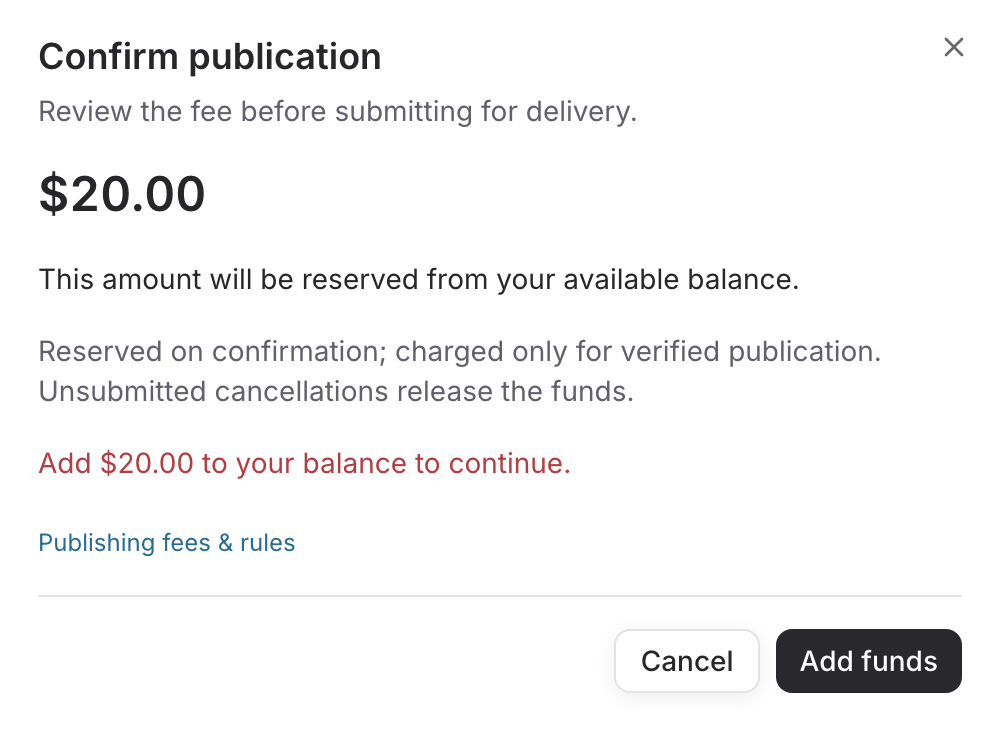
Generating a draft and delivering it are different actions. Where paid publication is enabled, the publication dialog displays the fee and delivery terms for the selected version and destination. Included AI credits do not replace the cash balance required by that quote.
Delegated publication costs US$20 per Reddit post, US$10 per Reddit comment, and US$5 per GEO/blog article. These fees are separate from your subscription. Publishing yourself and recording the result has no delegated-publication fee.
See Publishing Fees & Rules for approval windows, reserved funds, verified delivery, cancellations, and Reddit removals.
Confirming a paid publication reserves the quoted amount from your available balance. Reservation makes the funds unavailable for another purchase while delivery is handled. The final charge depends on the delivery outcome and terms, not simply on the item entering Submitted.
If delivery is uncertain, funds can stay reserved while the existing order is checked. A timeout does not establish that nothing was published. Check the content record and contact support if the state remains unresolved. Do not create another submission just to bypass an unresolved result.
Add funds and manage automatic recharge
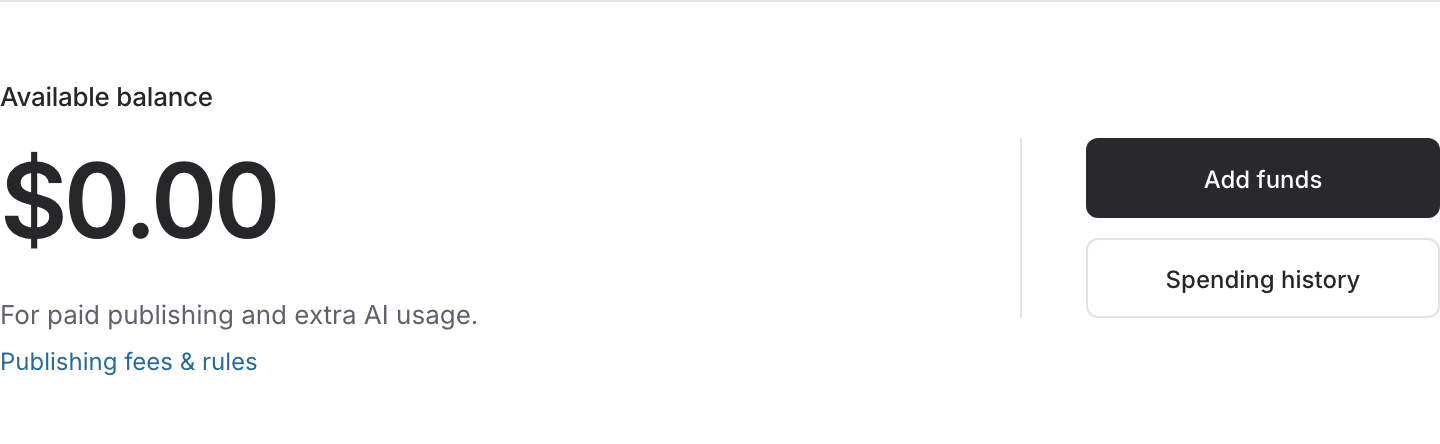
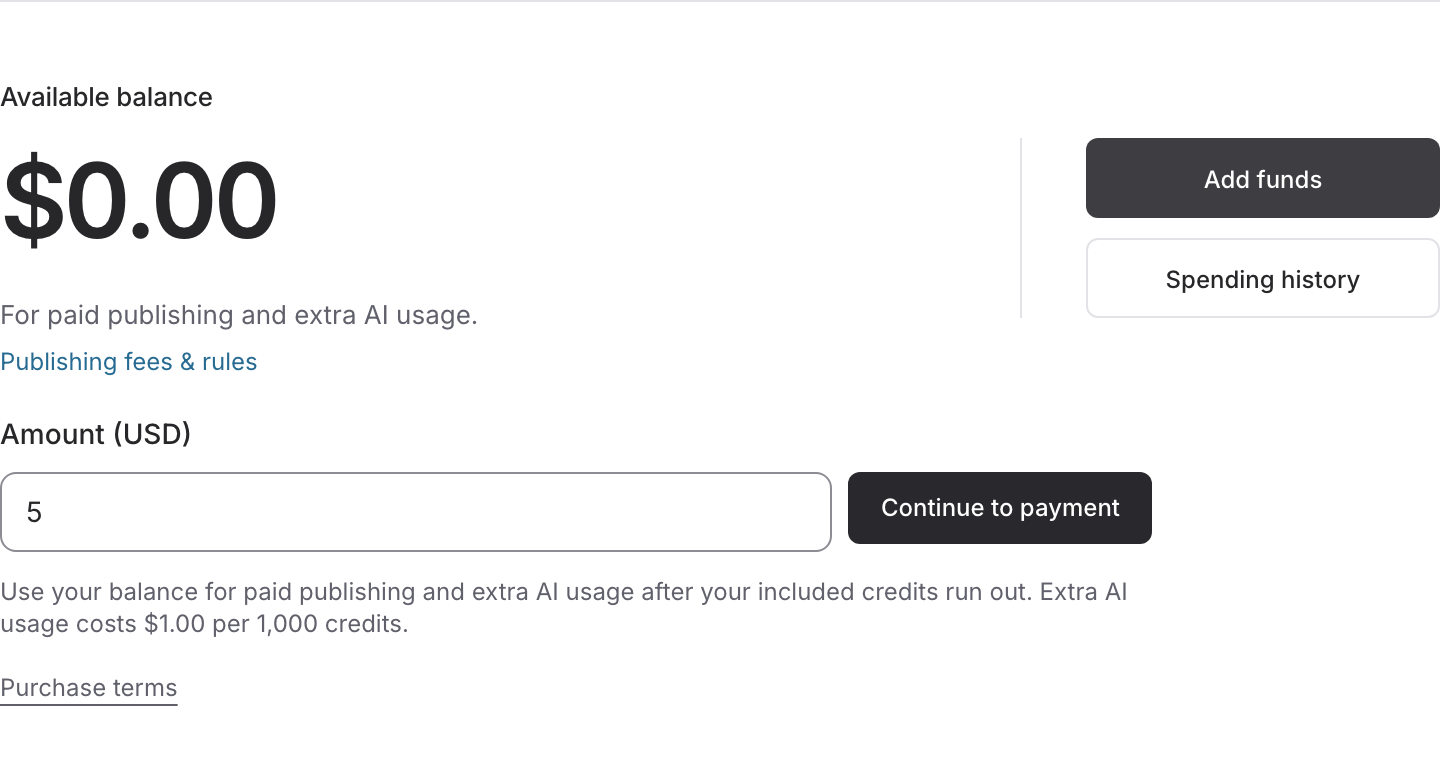
When Balance is available in Payment, use Add funds and review the amount in Checkout. Where AI overage is enabled, additional AI usage is charged at $1 per 1,000 credits after included credits are used. Adding funds does not unlock features that require a higher plan or increase product, channel, or monitoring limits.
The minimum recharge is US$5. RiseMore sets no additional per-recharge business maximum; payment-provider limits still apply. Purchased balance does not expire. The amount shown in Checkout is the total purchase amount, including any applicable tax.
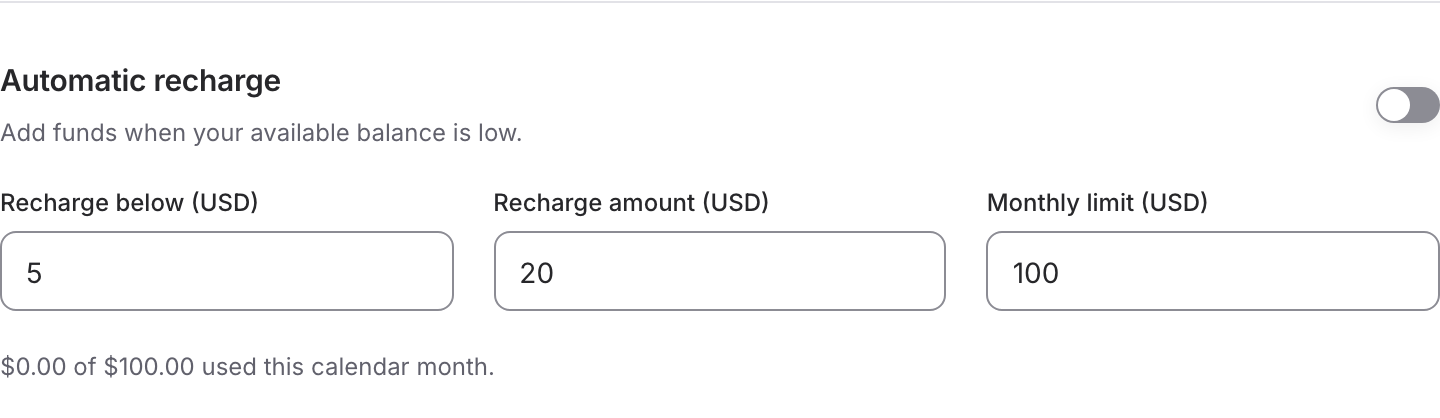
Automatic recharge is optional. Review the balance threshold, fixed recharge amount, and monthly limit before enabling or changing it. If it pauses, Payment explains whether a limit, payment verification, payment failure, or another condition needs attention.
If a payment is pending or needs verification, continue that payment from Payment. Closing Checkout does not prove it failed. Wait for confirmation before starting another payment for the same need.
Check daily usage and payment records
Open these account pages from the profile menu. They answer different questions:
| Page | Use it to check or change |
|---|---|
| Payment | Your subscription, payment method, available cash balance, and automatic recharge |
| Usage | Credits used against your current allowance, its reset date, and daily consumption |
| History | Subscription payments, manual and automatic recharges, and available payment documents |
In Usage, read Current allowance first. Under Daily usage, select Last 30 days or an available month, then use Previous and Next to inspect more dates. Daily totals use UTC; a calendar-month total need not match the current allowance period, whose reset date is shown separately. Check usage after enabling another Agent or changing its frequency rather than estimating a fixed cost per article.
In History, leave All payments selected to see subscriptions and recharges together, or filter by payment type and month. Read each row's status before treating it as a completed payment. Open Invoice, PDF, or Receipt where available; Not ready means that row has no payment document available yet. A recharge that needs verification may offer Complete payment, which returns you to Payment for that existing payment.
Export page (CSV) downloads only the rows on the currently loaded page, with dates, type, amount, currency, status, and reference. Use Next to inspect or export another page; this is not an export of your entire account. If a top-up is absent from the subscription portal, check History's manual or automatic recharge rows before starting another purchase.
For an unfamiliar publication charge, also open Spending history in Payment. Buying balance and spending it on AI overage or a publication are different records. Keep the payment or content reference when contacting support.
What happens when access or credits run out?
Existing research and drafts remain readable. New work may pause or ask you to upgrade, add funds where supported, or wait for the allowance to renew. Resolve the specific message: more cash balance does not remove a plan restriction, and a plan upgrade does not prove an uncertain payment or publication completed.
For a blocked action, use Troubleshooting to distinguish plan access, included credits, available balance, and unfinished payments.
Change or cancel your subscription
Open Payment and use the plan management or billing portal action shown. Subscriptions renew automatically until cancelled. Review the confirmation screen for the effective date and any prorated charge when changing plans; do not assume every upgrade or downgrade takes effect at the same time.
Cancellation stops renewal and keeps paid access through the end of the current paid period. Check the resulting status and end date in Payment. A cancellation request is different from a failed payment, which can pause paid access until the payment method is updated.
Subscription cancellation and automatic balance recharge are separate controls. If you are stopping paid work, also review automatic recharge settings and any scheduled work or publication waiting for delivery. Check remaining and reserved funds in Balance; do not treat cancelling the subscription as a cash withdrawal or cancellation of a publication already submitted.
Refunds, remaining funds, and account deletion
The Terms explain subscription refunds: partial periods and unused credits are not normally refunded, except where required by law or expressly offered at purchase. For a billing error, a cash-balance refund request, or an unresolved publication charge, contact support with the payment or content reference. Review the terms shown when adding funds; an unused credit allowance and a prepaid cash balance are different things.
Cancel the subscription, turn off automatic recharge in Payment, and disconnect publishing accounts before deleting your account. Deleting the RiseMore account does not itself cancel Stripe billing or remove posts already sent to a platform. The Privacy Policy explains account deletion, retained records, and how to request removal of associated information. Contact support first if you have remaining funds or unresolved payments and deliveries.
Never send card details, account passwords, or publishing credentials in a support request.
Keep the first week's workload manageable
Start with one business workspace and the channel or Agent you can review consistently. Inspect the setup draft, check its facts, and approve a suitable publishing window. Review the enabled tasks in Scheduled, then check Usage after they run. For example, a service business can start with a useful answer for its existing audience; an online store can start with a sourced product-use tip. Neither needs to enable all four Agents immediately.
Before adding SEO or Competitor Radar on Pro, decide which work matters most within the shared allowance. Reduce unnecessary recurring work, upgrade for the capabilities and capacity you need, or add funds for supported extra usage. Automatic recharge is a separate spending decision, not a requirement for using the product.
Affiliate referrals and earnings
The optional Affiliate program is separate from your marketing credits and cash balance. Choose Join program, read and accept the displayed terms, then use Copy link under Your referral link. If copying fails, select and copy the link manually. Review the current offer on the program page and the terms in the join dialog rather than assuming every purchase earns commission: balance top-ups and publication fees do not.
Check Referred customers for attributed registrations and subscription status, and Commission history for eligible paid subscription events. A registration alone is not a commission. Pending earnings are still in their holding period; check Available after. Available means eligible earnings after that hold, In payout means reserved for a payout in progress, and Paid means recorded as paid. Refunds or disputes can affect unpaid earnings. Use Previous and Next within each table to inspect more records.
Payout history → View details shows recorded payout details and any receipt reference. Joining or seeing Available earnings does not itself complete a payout. If you need help receiving earnings, or an expected referral is missing, contact support with the relevant reference; do not send bank credentials or assume a new Stripe onboarding or withdrawal button is available.
Continue with Review & Publish or the agent comparison.