
Start with buyer questions
Open GEO Agent in your product's Console. GEO execution requires Growth access and sufficient credits. The buyer prompt inventory contains questions about problems your product can solve, organized into topics with supporting research.
Use AI visibility → Buyer prompts to inspect the questions and their evidence; use Workflow for article briefs and content. A research suggestion is different from an observed answer from an AI platform. New products need monitoring runs before visibility results appear.
Before writing, check that your product knowledge describes the right audience, features, and claims. You can research questions and prepare an article before choosing a publication destination. See Channels & Connections for how publishing on your behalf differs from connecting your own account.
Select a brief and generate an article
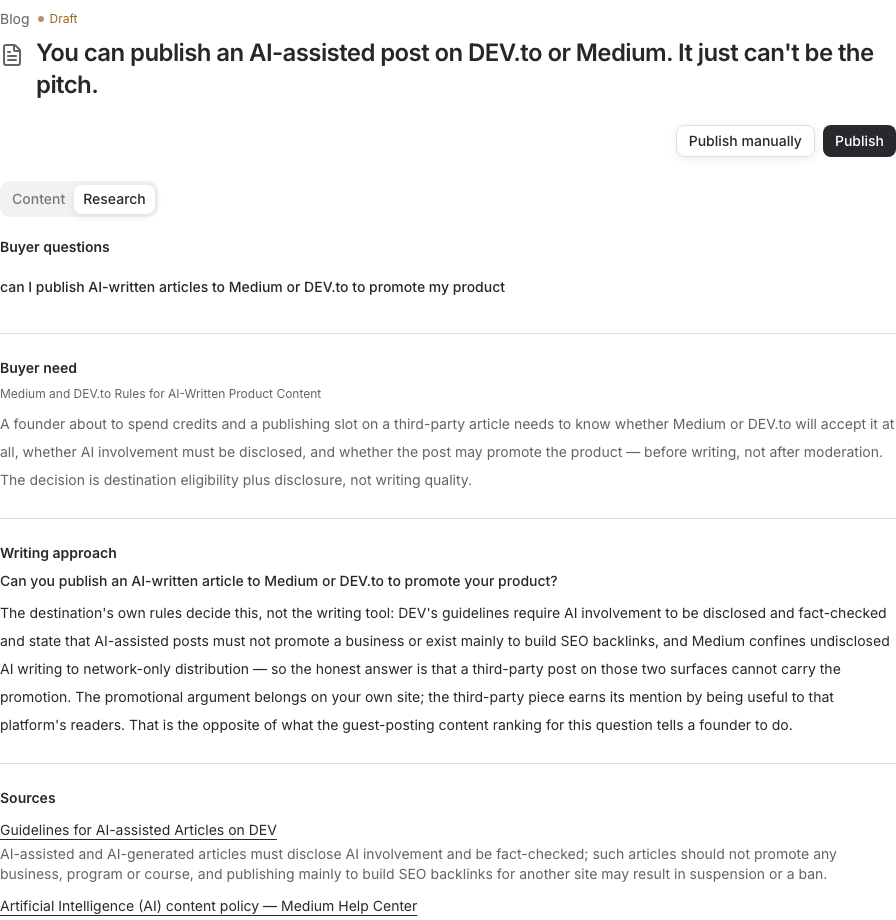
Open Workflow and inspect a proposed topic or brief. Read the buyer need, product fit, source questions, supporting material, and research gaps. Select the brief you want to turn into an article and choose Generate article.
Choose a brief because it answers a useful buyer question with support from your product and sources. A low visibility result can prompt investigation, but it does not by itself establish what article to write. Research and monitoring do not approve a brief for generation or publication.
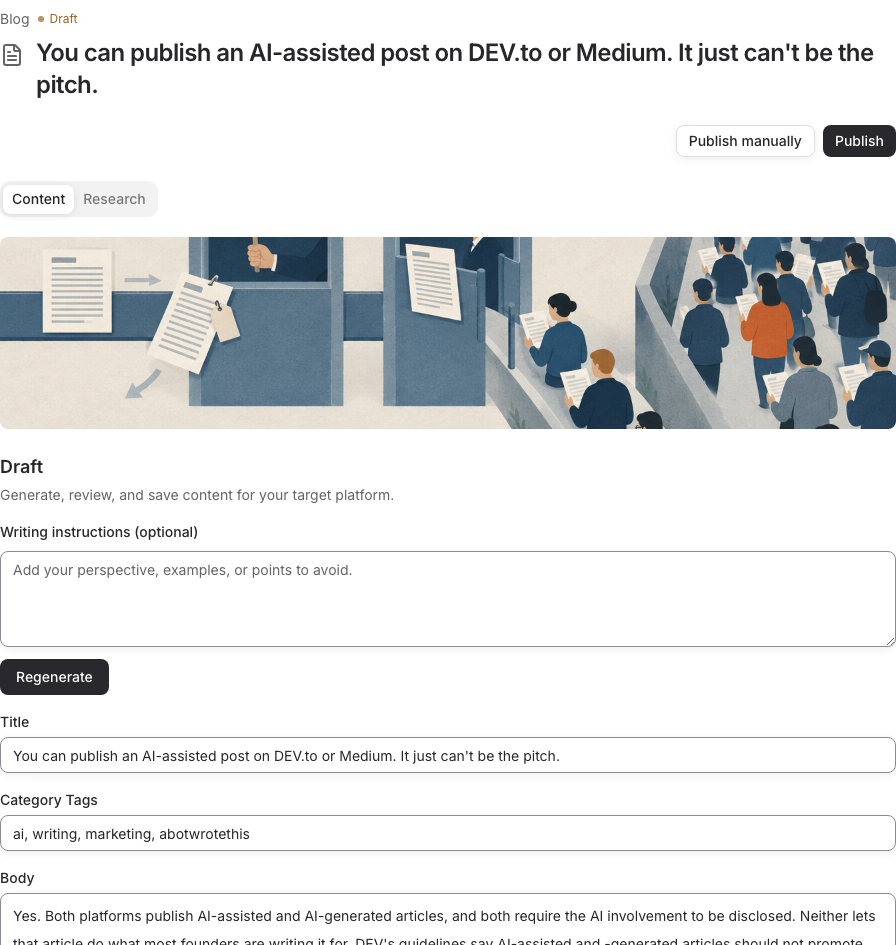
Generation creates the body and cover on the same content record. You do not need to choose a publisher or publication account before writing. Review the title, claims, sources, product references, tags, and image, then save edits.
The writing step is complete when the saved article and cover are ready for your review. If you regenerate, read the replacement content and save the version you want before approving it. Review & Publish explains the shared editing and approval steps.
Choose the publication destination
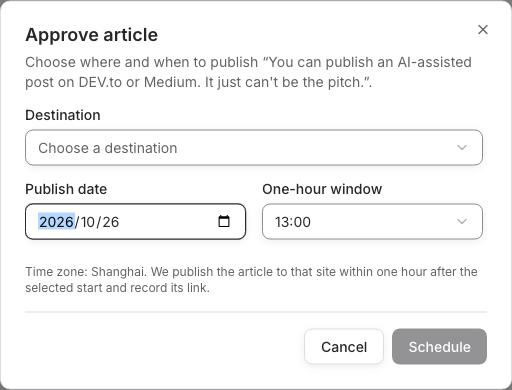
When the article is ready, open its approval action. In Approve article, choose an available Destination, a Publish date, and a One-hour window. Check the timezone and any destination requirements. The available destination list is the source of truth for automated publishing support.
Where paid publication is available, GEO/blog publication costs US$5 per article. Review the quoted fee and delivery terms before confirming. Confirmation reserves the required balance; Publishing Fees & Rules explains verification, settlement, and unresolved delivery. An unsupported destination or a validation error needs resolution before submission; keep the article and edit the fields identified by the error.
RiseMore publishes on your behalf. A confirmed schedule or submission means publication has been requested; verify completion by opening the returned article URL and checking the destination, text, and cover. If an article was published manually on a suitable destination, record the real result through the manual publication controls. Recording a URL does not execute publication.
Read AI visibility results
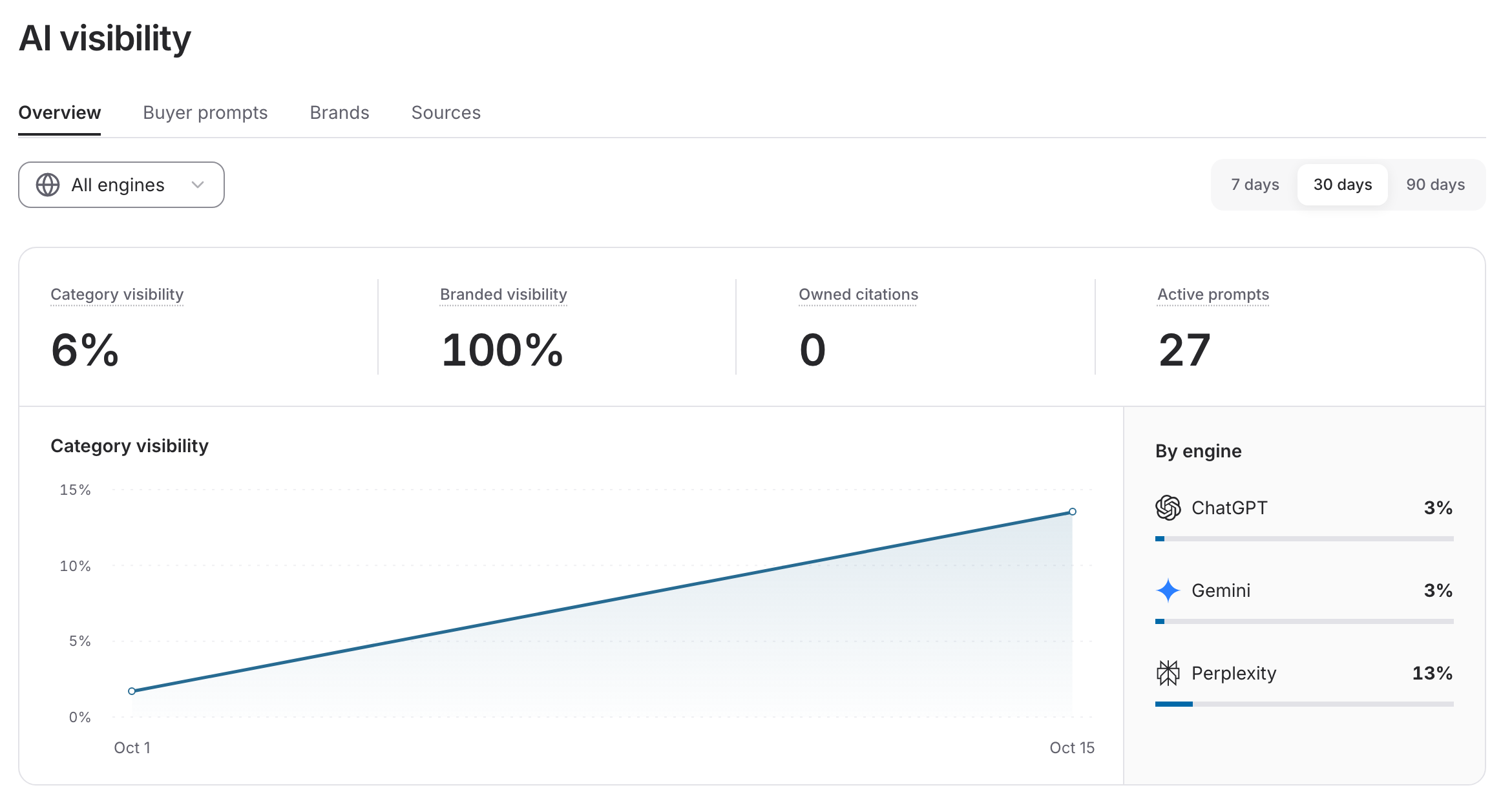
GEO monitoring collects answers across ChatGPT, Gemini, and Perplexity. Open AI visibility to inspect the results. Check Scheduled for the enabled monitoring task and its next run. Monitoring uses credits separately from writing or publishing an article.
Select 7 days, 30 days, or 90 days and an engine on Overview. Category visibility measures mentions when the question does not name your product; Branded visibility measures questions that already name it. Owned citations counts references to your website, and Active prompts counts questions enabled for monitoring.
Open a buyer prompt to read its captured answer, timestamp, and cited sources. The prompt inventory shows the latest check per engine; it is not the overview's historical average. Follow Read AI Visibility Results for metric definitions, filters, Brands, Sources, and the difference between no mention and no measurement.
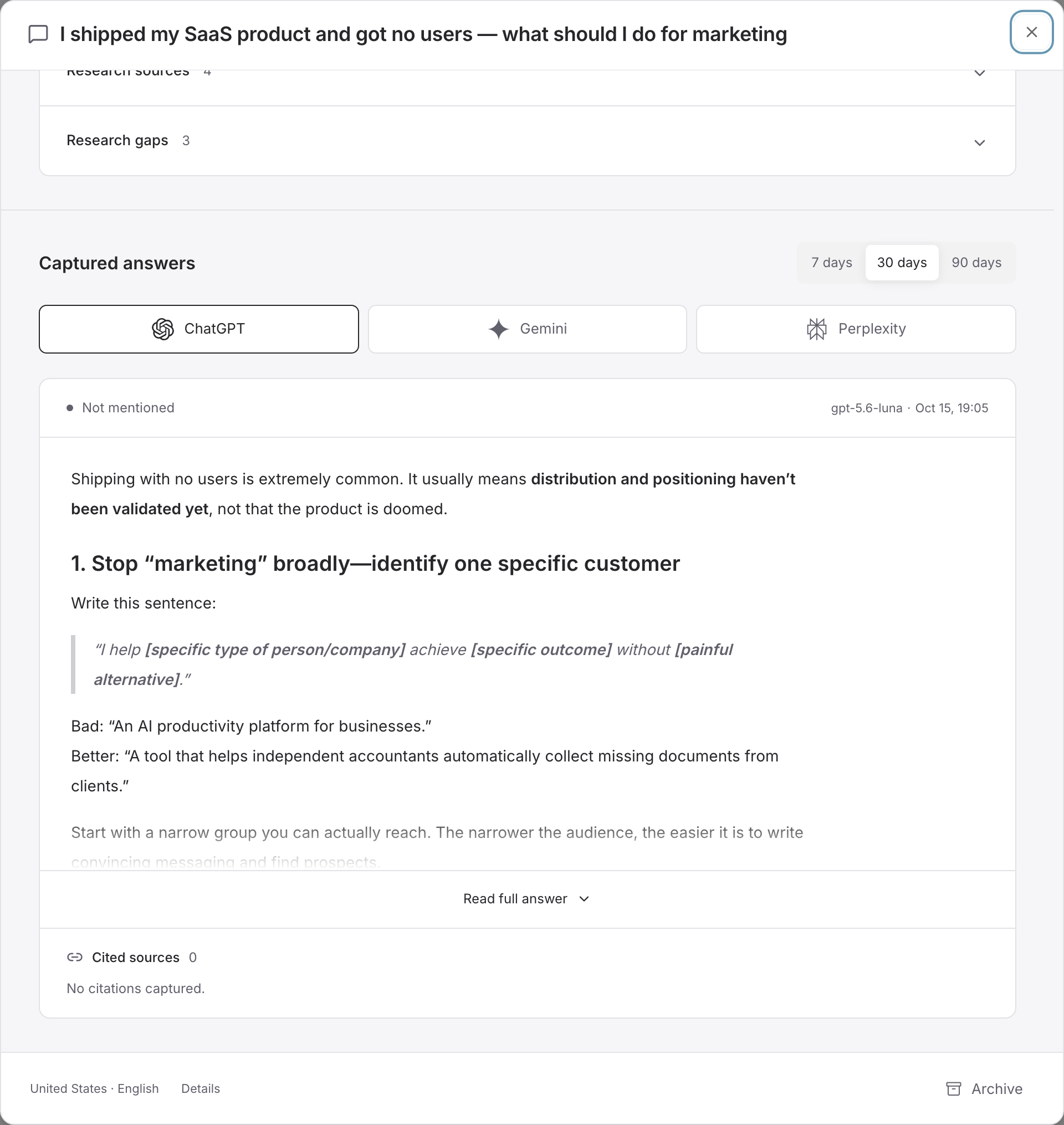
A mention names your product; a citation points to a source. Neither is a website visit or a conversion. A published article does not guarantee either one, and a later change in visibility does not prove that article caused it. Check the actual answers before deciding what to improve.
Watch the AI visibility walkthrough (MP4). Silent recording of the actual Console; the steps are described above.
Recover unfinished work
If monitoring stops, check the run error, access, and credits. Saved answers remain available. If generation saved text but could not create the cover, keep the article and complete the missing image. If publication is uncertain, inspect the destination and existing record before retrying. Troubleshooting helps you distinguish a loading error, unfinished generation, and an unresolved publication.
Next: Review & Publish, Pricing & Credits, or the workflow.