
Understand what changed around your product
Open Competitor Radar for your product in the Console. It researches relevant competitors and changes such as pricing, launches, features, positioning, and community activity. Running Radar requires Pro or Growth access and available credits; see Pricing & Credits.
Radar saves research for you to inspect. It does not write or publish a response automatically. Its value is a finding you can verify and use to decide what deserves attention.
Find the competitors worth reviewing
The library shows each competitor's website, description, Saved note, and Last seen date. Filter Threat level by All, High, Medium, or Low, and sort by Threat, Recently seen, Recently added, or Name.
Threat level is the agent's research judgment about relevance to your product. It is not market share or a prediction that a competitor will win. Start with the saved reason and evidence, rather than treating the label as a decision.
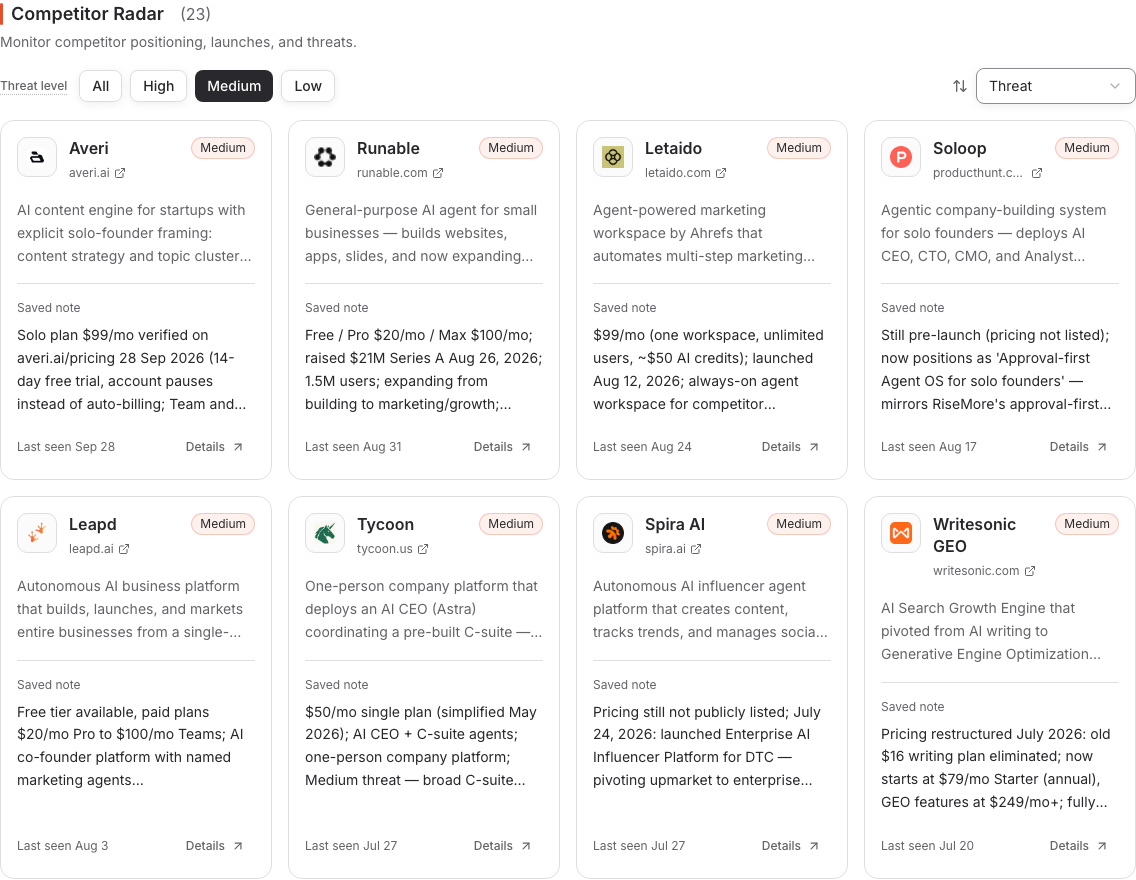
This is saved research with its original observation dates. The notes and prices in the example are historical; open the source to check a claim before using it today.
Open the detail and check the evidence
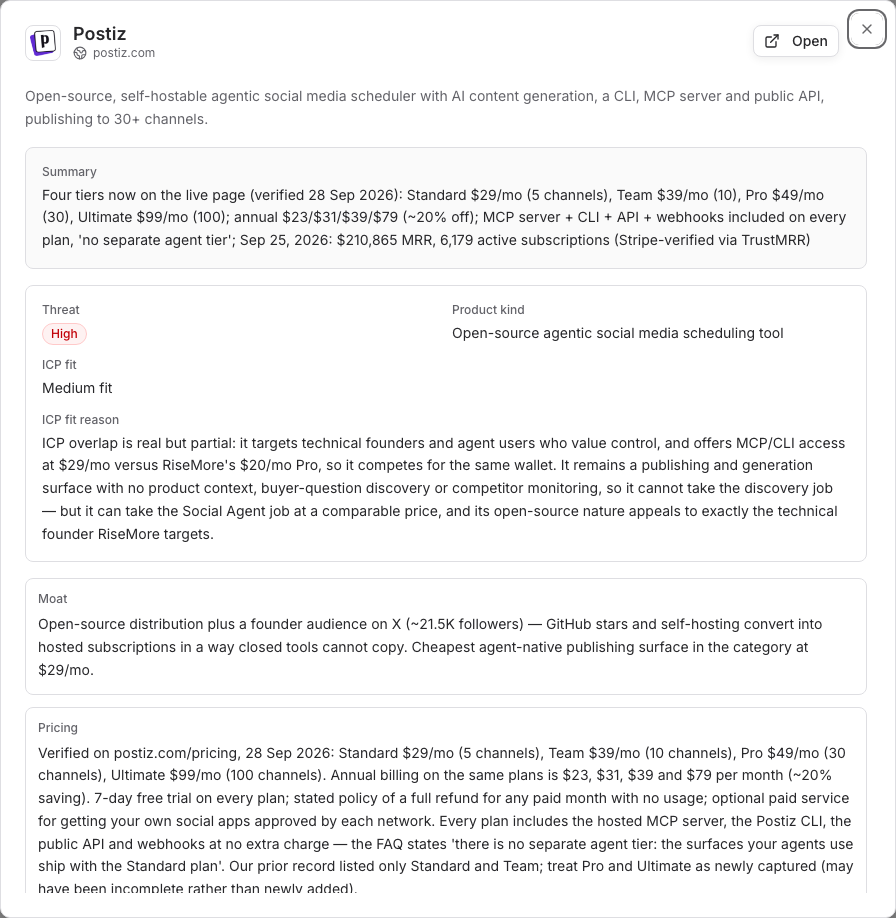
Choose Details on a competitor card. Inspect the Summary, available notes, Product kind, ICP fit, and ICP fit reason. ICP fit describes how closely the competitor overlaps with your intended customers. Fields without saved information may be absent.
Use Open or the website URL to check the competitor's live site. For a specific price, launch, or claim, follow the supporting source recorded in the notes or report and check its date and context. A homepage link alone does not prove a particular change.
First seen and Last seen describe the saved competitor record. They are not necessarily the date a feature launched or a price changed. If a note has no supporting source or is outdated, ask for further research before using it in public content.
Read the dated report
Open Reports, switch to Type, and look for Competitor Radar to read saved digests. A report can explain newly discovered alternatives, changes among known competitors, and suggested actions. Use its sources to verify a finding and compare it with earlier reports when available.
Radar focuses on relevant competitors and material changes; one run need not check every saved company or produce a new finding. No reported change is not proof that nothing changed anywhere in the market. For report viewing and sharing, see Product Knowledge.
Turn a finding into a decision
Before acting, check three things: whether the source supports the claim, whether it affects your customers, and what your product can truthfully say or do in response.
For example, a verified competitor change may reveal a buyer question worth researching, a product distinction worth explaining, or an outdated claim in your own materials. These are possible next actions, not automatic recommendations to copy a competitor or publish a comparison.
Use Chat to discuss the finding and its source in the context of your product. Then continue through the appropriate agent workflow: select an opportunity or brief, review the resulting content, and approve publication. The competitor card itself is a research view, not a one-click publishing action.
Keep research current
Open Scheduled and find Competitor Radar to manage recurring research. Check whether the task is enabled, when it runs next, and whether the product is active and has sufficient access and credits. See Scheduled Tasks.
If the library is empty, first set the threat filter to All. No competitors tracked means no saved records are available; it does not mean your product has no competitors. Check that product knowledge describes the right audience and category, then use Chat to request competitor research or check the recurring task.
No observations yet or No detailed notes yet means a record exists without that research detail. Unable to load competitors is a different problem: use Try again to reload. If a run or access issue remains unresolved, follow Troubleshooting.
How this differs from GEO Brands
Competitor Radar studies companies and their observable market activity. Brands in AI visibility compares how brands appear in captured answers to buyer questions. A competitor can matter to your business without appearing in those answers, and a brand mentioned by an AI engine is not automatically a direct competitor.
Use Radar to understand a market change; use AI visibility to inspect an answer and its evidence. Neither view establishes customer acquisition or replaces your decision about what to pursue.