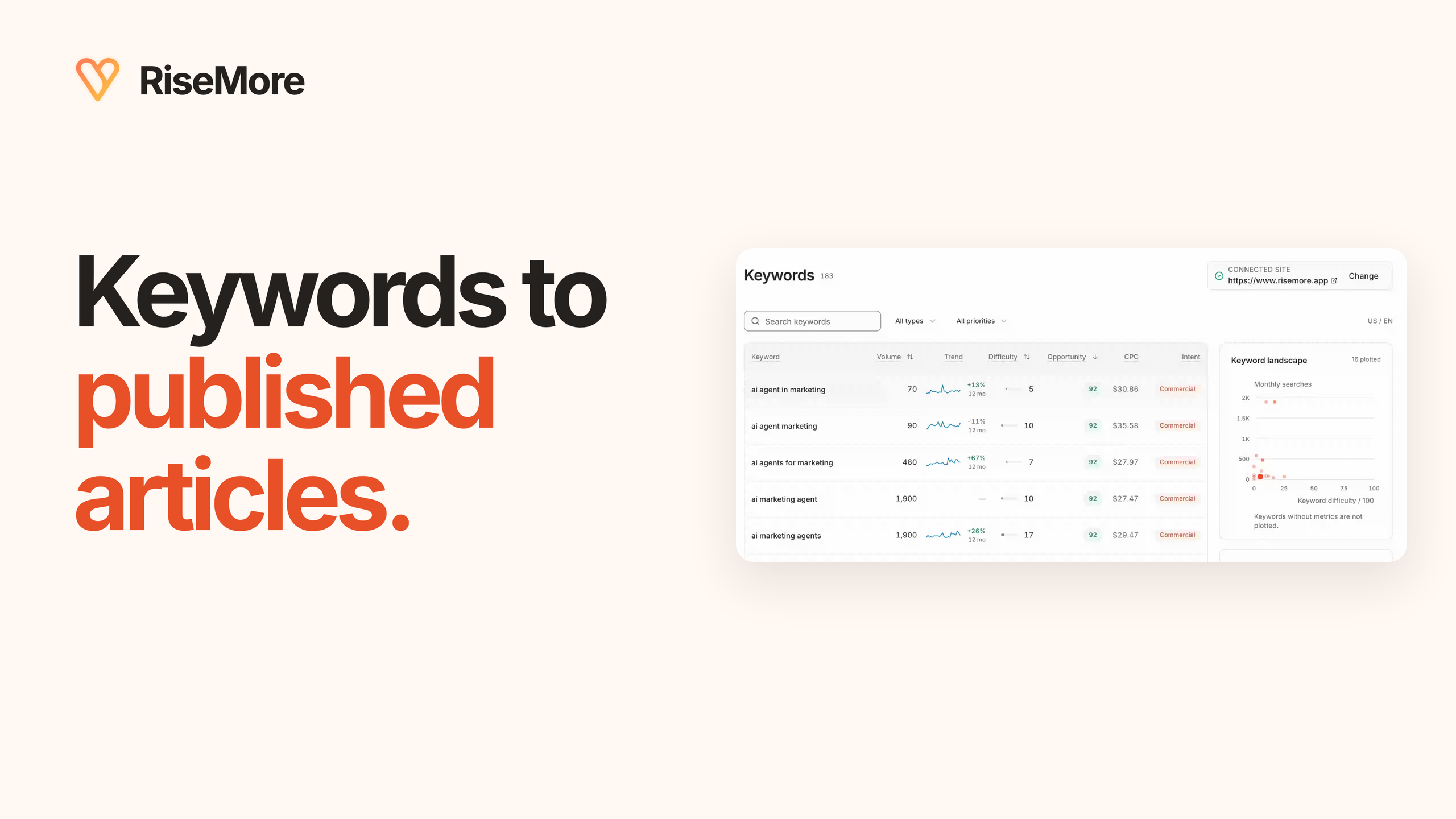
Low-competition keywords are searches where the current results leave room for a useful, credible page. A keyword difficulty score can help you find candidates. The better question is whether you can answer that search well for someone who could become your customer.
This guide takes you from that decision to one reviewed article and a publication check. You can use the selection method with your existing research tools. The product walkthrough uses RiseMore's SEO Agent and its supported WordPress publishing workflow.
1. Start with a problem your customers need to solve
How to do keyword research for beginners? Start with one product or service and one customer problem. Collect the words people use in support requests, sales calls, reviews, and community discussions. Build a small shortlist, inspect the current results, then choose one question your business can answer well.
For example, an online store selling running shoes could investigate questions about choosing shoes for wide feet. An accounting practice could investigate what a new employer needs before its first payroll. A software business could investigate how a small team handles a recurring job. These are illustrative starting points; check actual search demand before treating any of them as a target.
For each idea, finish this sentence: Someone searching this needs help with ___, and our business can help because ___. If the second half is difficult to explain, a low difficulty score is not a strong reason to write the article.
2. Build a shortlist in the right market
Look up the problem and the related phrases people use. Set the country and language to match the customers you serve. Inspect the original question behind each phrase so you can tell whether the searcher wants instructions, a comparison, a product, or a local provider.
Can I do keyword research for free? Yes. Customer conversations and public search results can help you assess relevance and missing detail without buying a research tool. If reliable volume or difficulty estimates are unavailable, mark them unknown rather than inventing numbers.
In RiseMore, begin with accurate Product Knowledge. Then open SEO Agent → Keywords and inspect a saved keyword's demand, intent, and recommendation. The research explains why an opportunity may fit your business; you still need to check that the proposed article is worth making.
Group close variants that express the same question. They can help you understand the language and scope of one article. Adding their estimated search volumes together can exaggerate the size of the audience.
3. Use difficulty to shortlist, then inspect the evidence
A longer phrase is not automatically less competitive. Read the current results and decide what useful answer you can contribute.
Keyword difficulty is an estimate from a research provider. Treat it as one input alongside relevance, search demand, and the results your page would compete with. Different tools can calculate it differently. An unknown value means you need more evidence.
- Business fit. The problem connects to a product, service, or expertise you actually offer. The right visitor should have a reason to care about your business.
- Search intent. The query and current results support the kind of page you plan to create: an explanation, comparison, or another useful answer.
- Demand. Inspect the available estimates for the intended country and language, along with their collection date. They describe potential interest, not promised visits.
- Competition. Read the current results alongside the difficulty estimate. Decide what useful detail or experience your page can contribute.
Here is an existing RiseMore example: “content marketing for saas.” The saved US/English research retrieved on September 27, 2026 showed an estimated 590 monthly searches and difficulty of 2/100. Those are historical research figures, not traffic earned by the article or a guarantee of ranking.
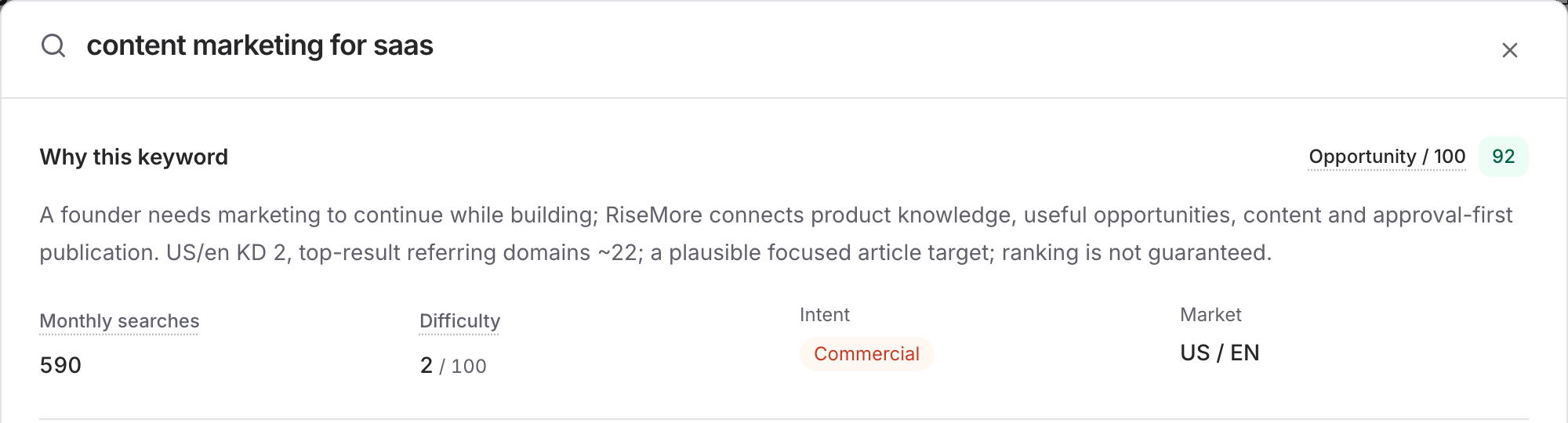
The useful part of this example is the connection to a real job: helping a founder run a repeatable content process while building a business. A broader marketing-platform shopping query would call for a different answer. Your business may serve store owners, service customers, or a marketing team; make that connection specific to them.
4. Find a useful gap in the current search results
Open the results for your candidate keyword in the market you are targeting. Read the pages that already answer the question. Notice the type of page, the experience or evidence behind it, and what the reader can actually do afterward.
- Does your planned page match the task? If the results mainly help people choose products, a broad educational essay may answer a different question.
- What useful detail is missing? Look for an incomplete procedure, an overlooked customer situation, an outdated example, or a decision that needs clearer explanation.
- What can you contribute firsthand? Original screenshots, a worked example, practical experience, or a clearly explained limitation give the reader something to evaluate.
A longer version of the same answer is not automatically a better page. Google's guidance on helpful content emphasizes usefulness to the intended audience. Let the reader's task determine the article's depth.
Also search your own site. If you already have a page that answers the same question, improving that page may be more useful than publishing a near-duplicate.
5. Turn one keyword into a focused article brief
Define the reader, the question, and the decision the article should help them make. Include the experience, examples, sources, or product details you can use to support the answer. Give the article one main purpose.
Can I use ChatGPT for keyword research? Yes: provide your business context and customer questions to explore wording, group related ideas, or shape a brief. Treat suggestions as candidates. Verify demand and competing pages separately; generated numbers are not provider measurements.
In the saved RiseMore example, the topic became “Content Marketing for SaaS: A System for Founders Without a Marketing Team.” The angle makes the audience and job concrete. It also keeps the related keyword research attached to the same topic.
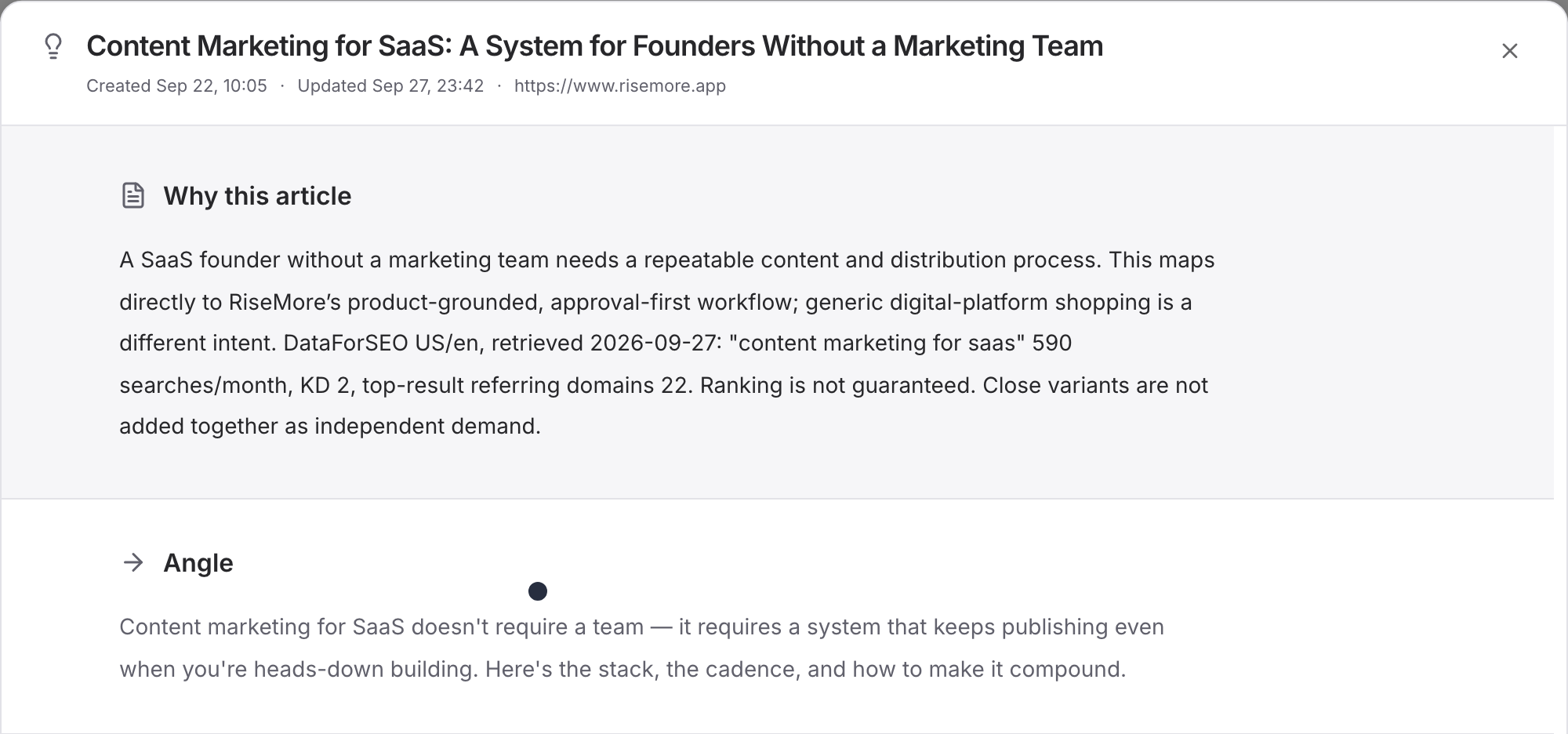
In RiseMore, discovery saves the keyword pool. Open Workflow to inspect proposed article topics, their research, and related existing coverage. Select the topic you want written, then choose Generate article. Finding a keyword and choosing an article are separate decisions.
6. Review the draft as an answer to that question
When the article and cover are ready, read the draft from the customer's point of view. Check whether it answers the promised question, uses accurate business details, and gives a useful next step. Verify factual claims and sources. Replace vague recommendations with examples you can stand behind.
Save your edits before scheduling. Check the title, headings, links, and cover together. Use the language customers use naturally; repeating the same phrase throughout the page adds little value. Google's SEO Starter Guide explains how descriptive titles and links help people understand a page.
Watch the 82-second SEO Agent walkthrough. The recording follows saved research, an article, and its publication result.
7. Connect WordPress and verify the published result
To use RiseMore for this stage, you need a plan with SEO access, available credits, and a supported WordPress site. See current plans for access and usage. You can inspect research and review an article before connecting the site.
- Open Connect your site. Enter your WordPress site URL, username, and an Application Password created for this integration.
- Wait for the connection check to succeed. Use the site's Users → Profile → Application Passwords section to create the credential; keep it out of shared screenshots. WordPress documents how these revocable credentials work.
- Open the reviewed article and choose Schedule publication. Check the date, one-hour window, and displayed timezone, then confirm.
- When the article shows Published to your site, open View published article. Check the destination, title, body, and cover on the public page.
The WordPress connection and publication guide covers the controls in more detail. If publication is uncertain or interrupted, use Check publication to resolve the original attempt before sending another copy.
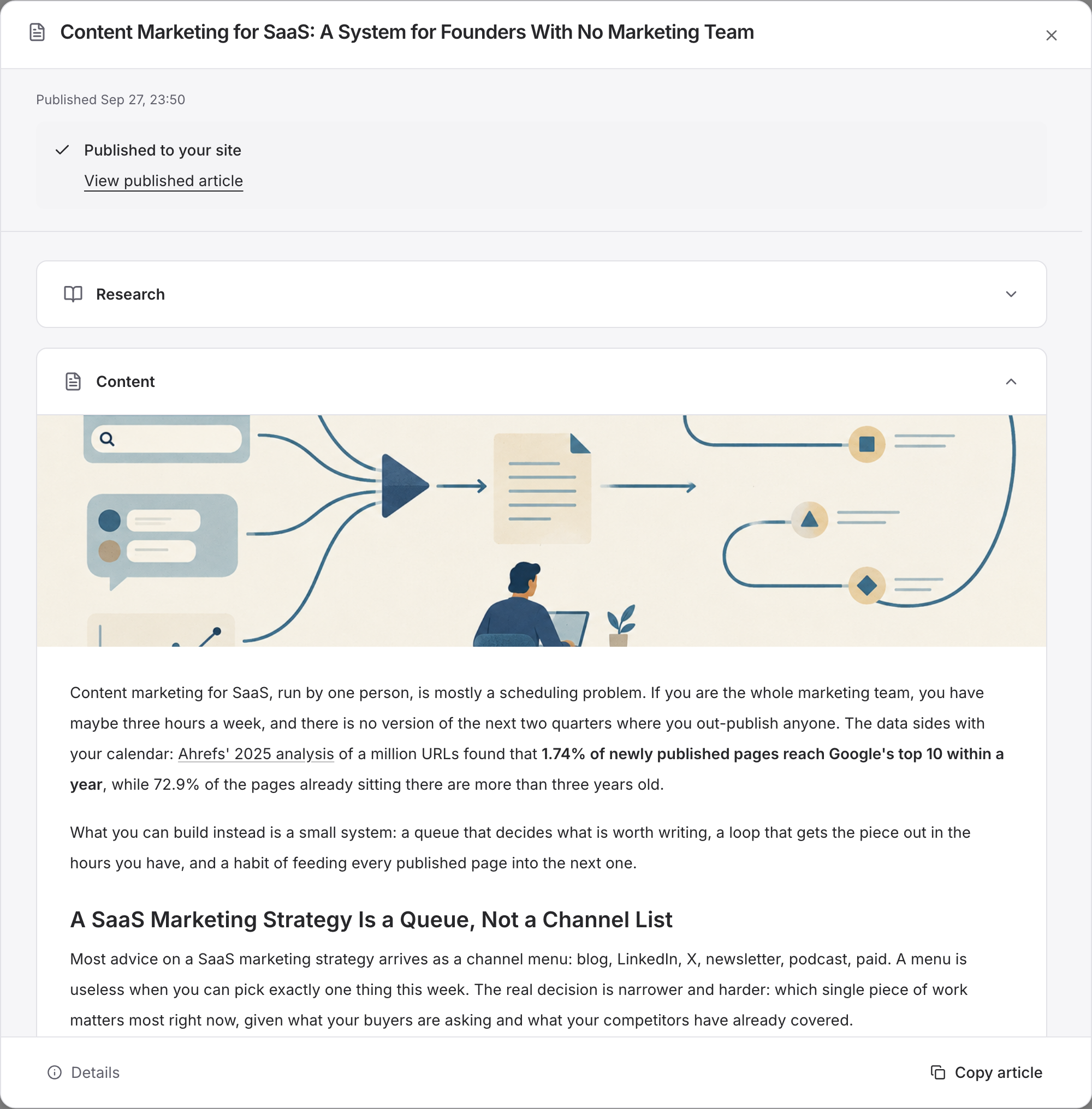
You can inspect the existing Content Marketing for SaaS article as a published example. The connection steps above describe the current WordPress workflow for your own site.
8. Use search performance to choose the next improvement
Publication gives you a page to evaluate. Google discovery, indexing, and search visibility happen separately. Add a relevant link from an existing page on your site so readers can find the new article in context.
Connect Google Search Console in SEO Agent → Performance to inspect queries, pages, impressions, and clicks. Use URL Inspection when you need to check an individual page's indexing information. An empty recent report does not tell you whether the article is useful or prove that publication failed.
As evidence arrives, ask whether the article appears for the intended questions and whether people click through. Improve the answer, title, or supporting internal links where the data and reader feedback show a gap. Keep the original question in view.
To carry this process forward for your business, explore the SEO Agent workflow. If you are choosing between tools, read RiseMore vs Surfer SEO or RiseMore vs Writesonic to compare the research, writing, and publishing work each supports.
_